 Unofficial port
 7-Zip for macOS (unofficial port)
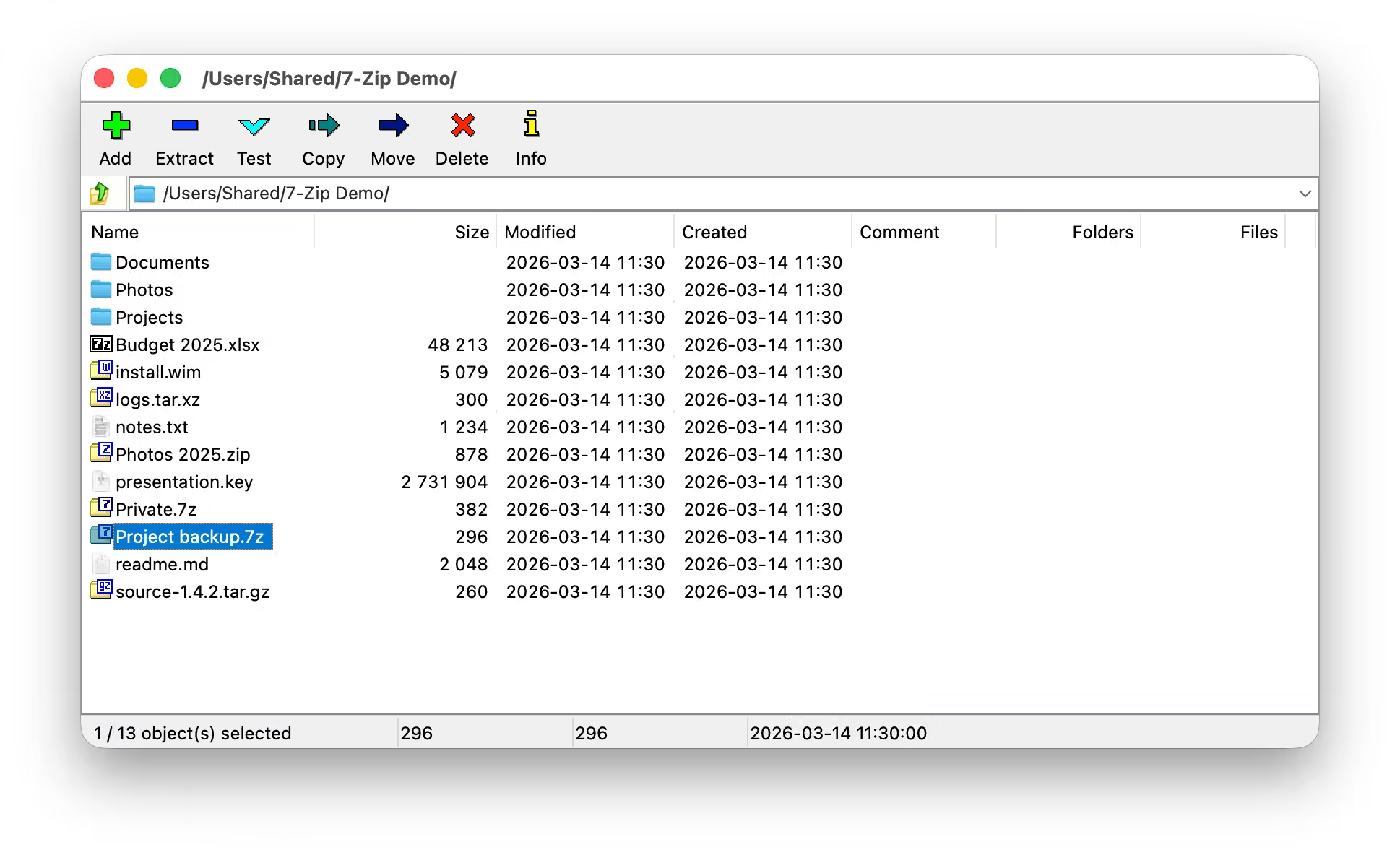
The 7-Zip File Manager as a native Mac app: the real 7-Zip 26.04 engine with a new AppKit interface that follows the Windows app item for item, plus Finder integration.
or with Homebrew (more options)
brew install --cask yrambler2001/tap/7zip-macosVersion 1.1.3 · 7-Zip 26.04 Released October 7, 2026 4 stars on GitHub
Install
Requires macOS 14 (Sonoma) or newer. One universal app for Apple Silicon and Intel Macs.
Homebrew
brew install --cask yrambler2001/tap/7zip-macos
Once, so that a plain brew upgrade includes the cask (Homebrew 7):
brew trust yrambler2001/tap
Update with brew upgrade --cask 7zip-macos. The cask removes the quarantine
flag after every install and upgrade, so a Homebrew install opens directly, with no
Open Anyway step. Installing the cask is the consent to that.
Disk image
-
Download the
.dmgfrom the latest release. - Open it and drag 7-Zip onto Applications.
- On first launch, allow it once with Open Anyway.
- Requires
- macOS 14 Sonoma or newer
- Runs on
- Apple Silicon and Intel (universal)
- Price
- Free, open source (LGPL)
Features
The same two panels, menus, dialogs, keyboard map and settings as 7-Zip on Windows.
-
Archives as folders
7z, ZIP, RAR, TAR, GZip, BZip2, XZ, Zstandard, CAB, ISO, DMG, WIM, MSI, RPM, DEB, APFS, VHD and the rest of 7-Zip’s formats, including archives inside archives.
-
Two panels
Four view modes, sortable columns, flat view, folder history, favorites and 7-Zip’s keyboard map.
-
Extract and add
Every path and overwrite mode; the full set of compression options, AES-256 encryption (including file names), multi-volume and self-extracting archives.
-
No Mac clutter
An optional Exclude Mac resource forks checkbox leaves ._* AppleDouble files, .DS_Store and __MACOSX folders out of archives you share.
-
Tools
Test, checksums (CRC32, CRC64, SHA-1, SHA-256, SHA-512, BLAKE2sp, XXH64 and more), Benchmark, Split, Combine, Link, Properties and comments.
-
Finder integration
A 7-Zip submenu on Finder’s right-click menu, Quick Actions, Services, and document icons for 40 archive types.
-
93 languages
The official 7-Zip translations, switchable while the app runs.
-
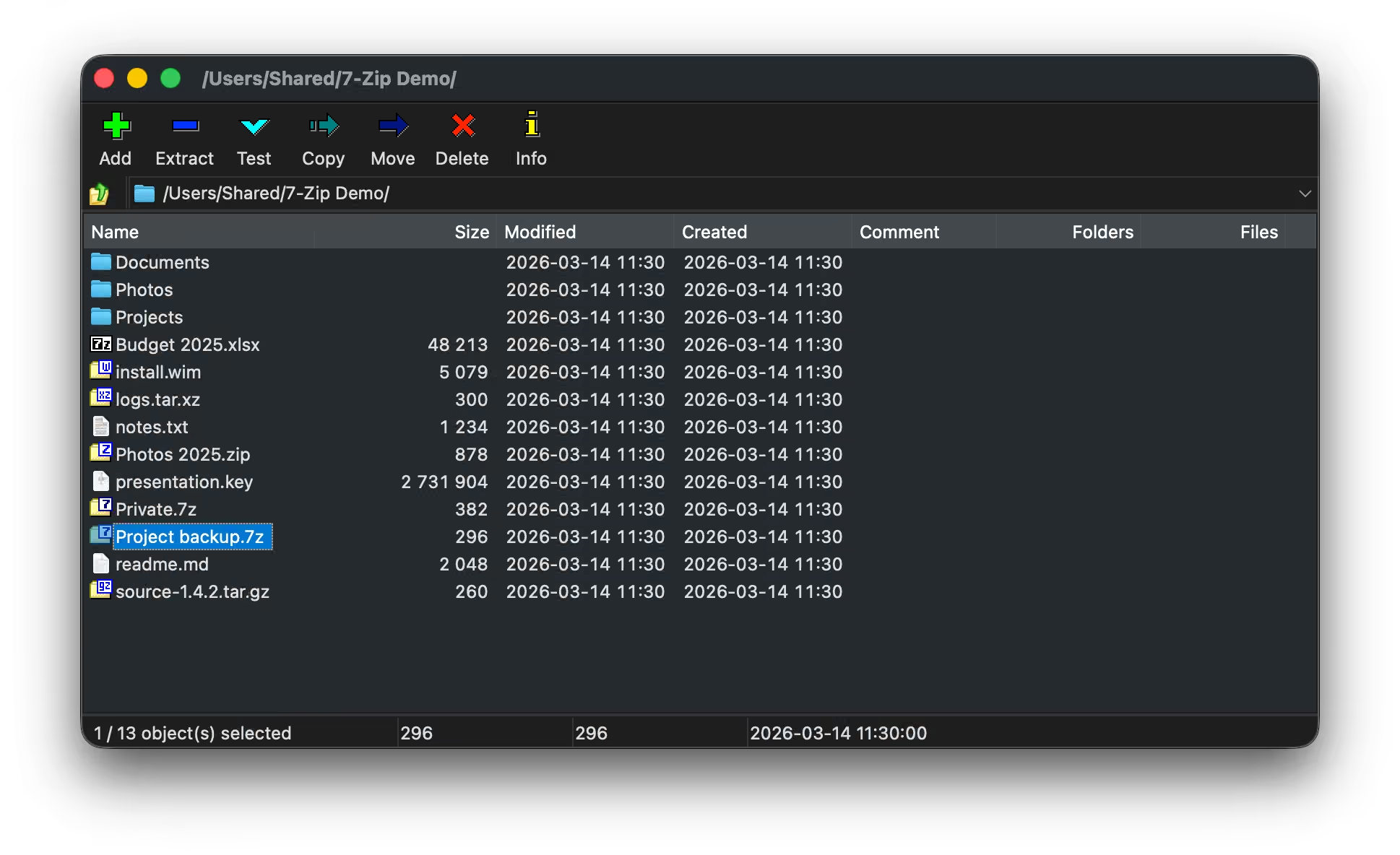
Light and Dark
Light by default; Dark or following the system in Options ▸ macOS.
-
Native
Swift and AppKit on top of the unchanged C/C++ engine. No emulation, no third-party code, no network access except the optional update check.
Screenshots
Select a screenshot to view it at full size.
-
Main window, light theme -
Main window, dark theme -
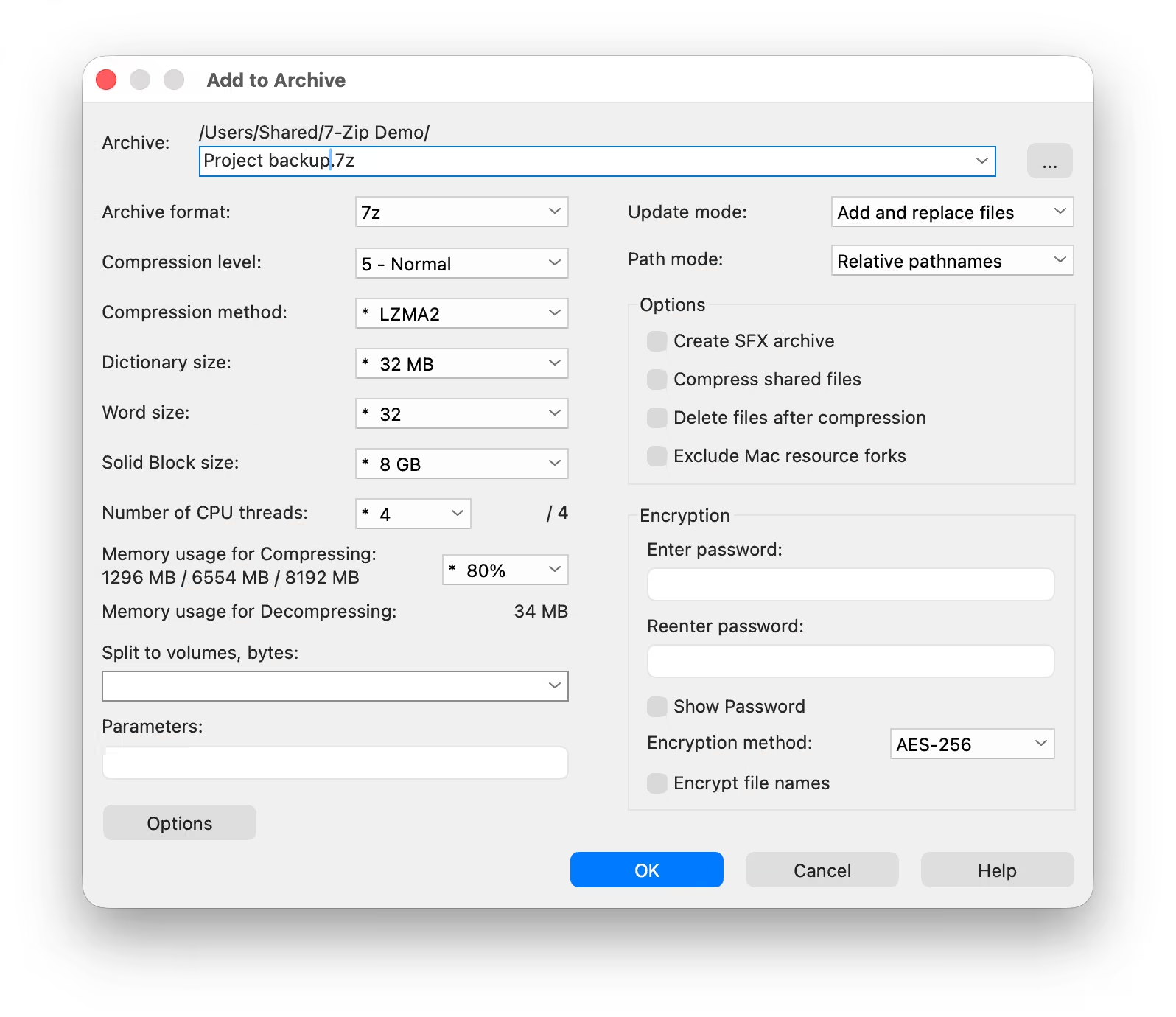
Add to archive -
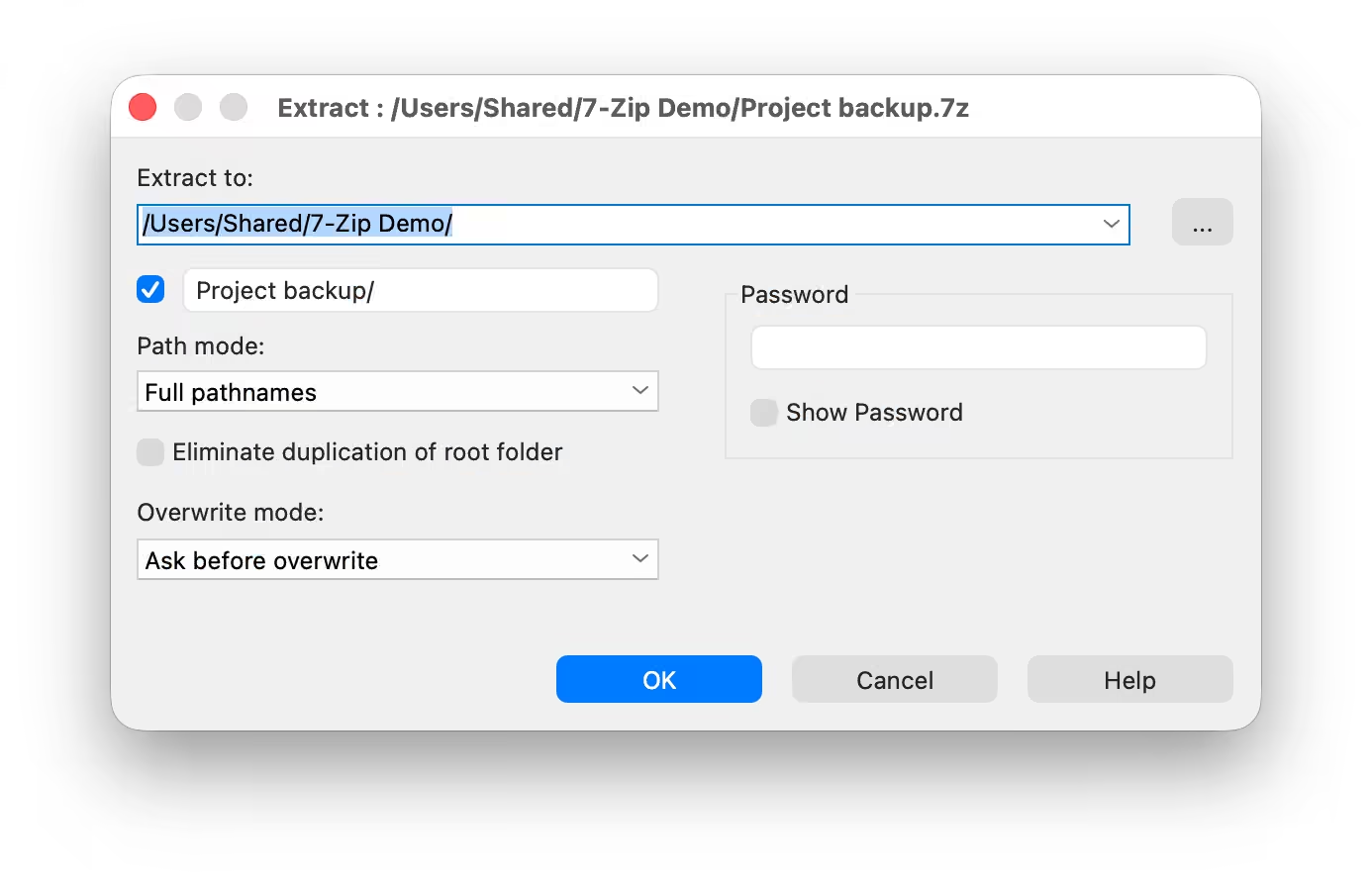
Extract -
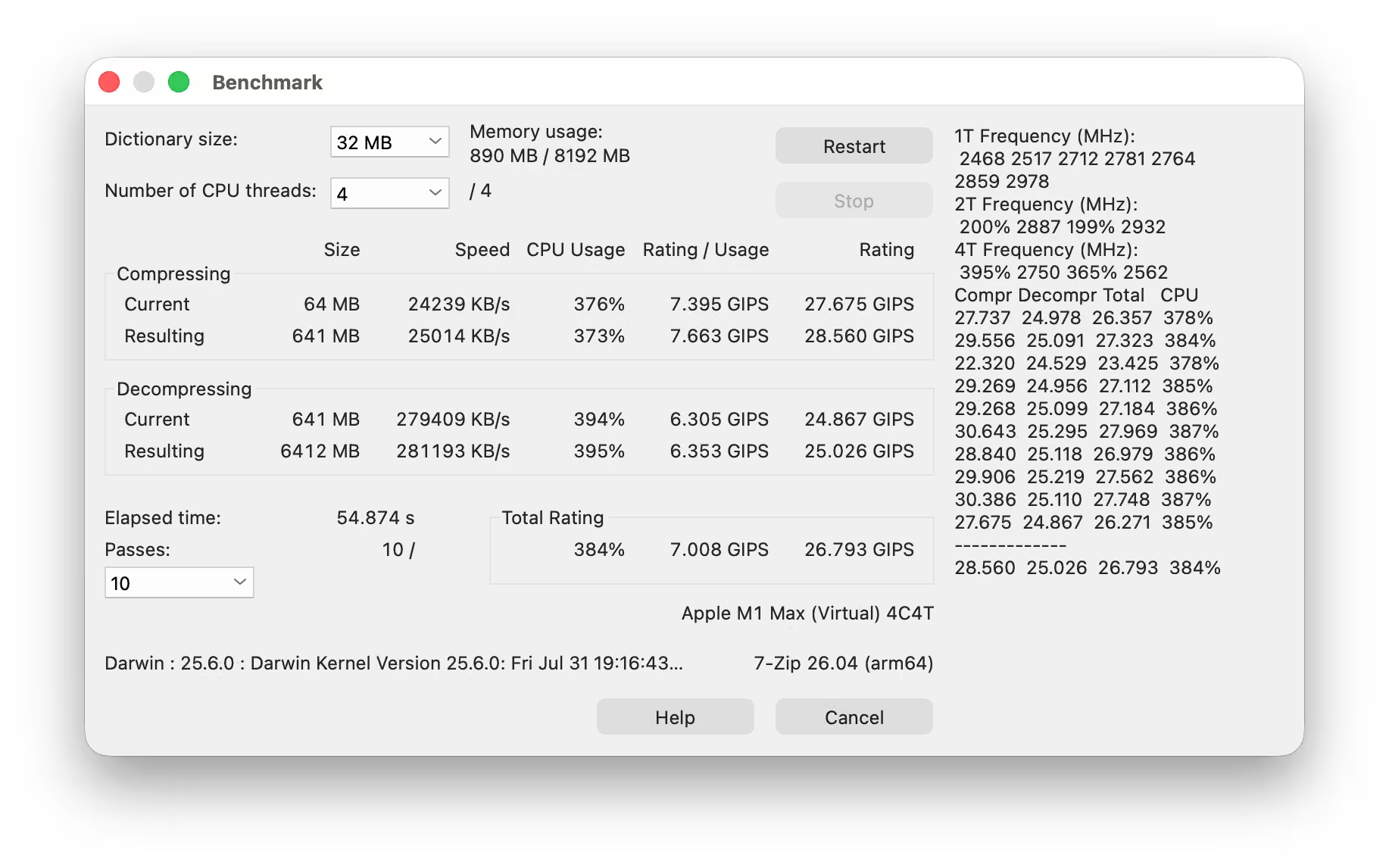
Benchmark -
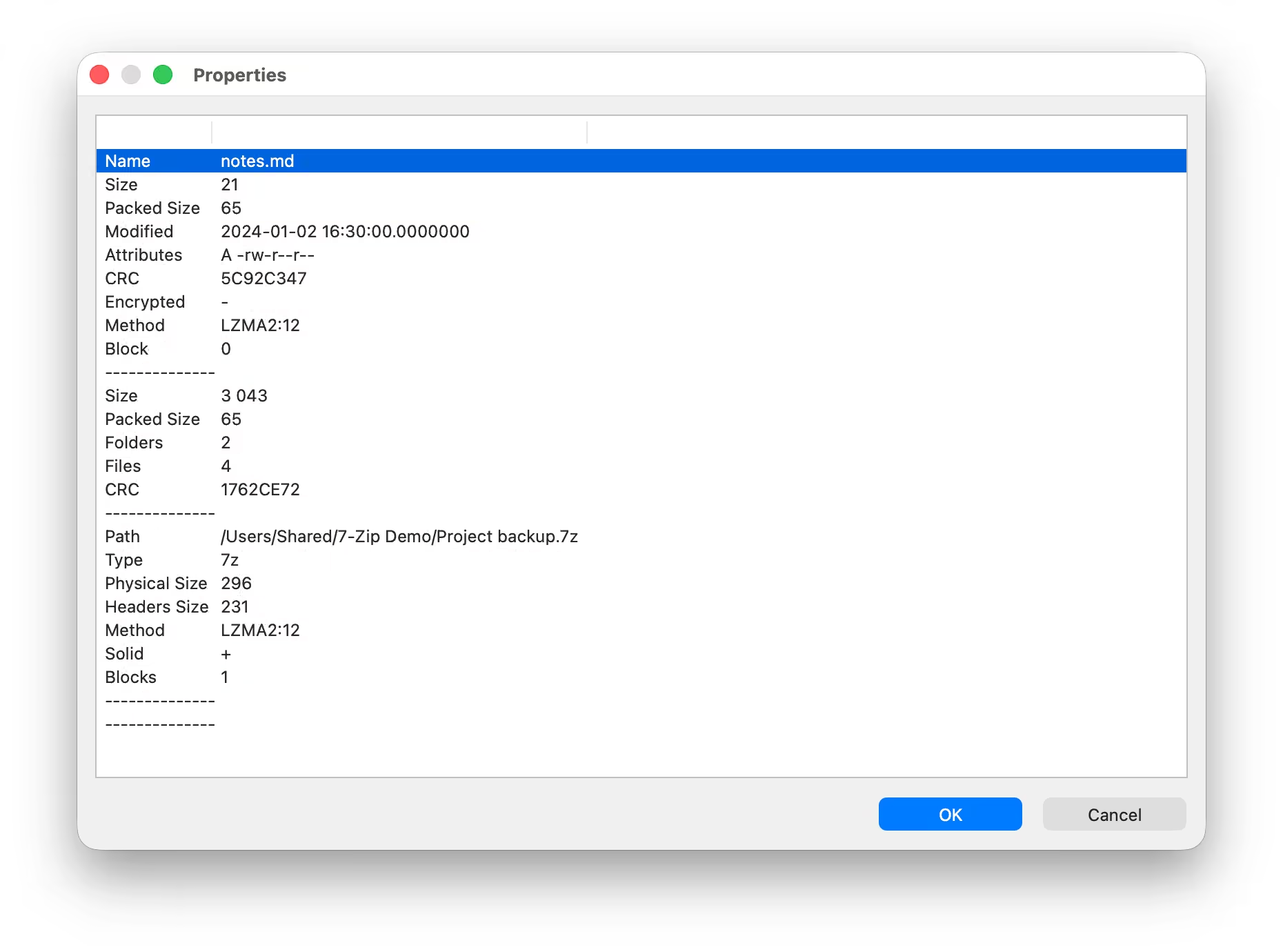
Properties of an item inside an archive -
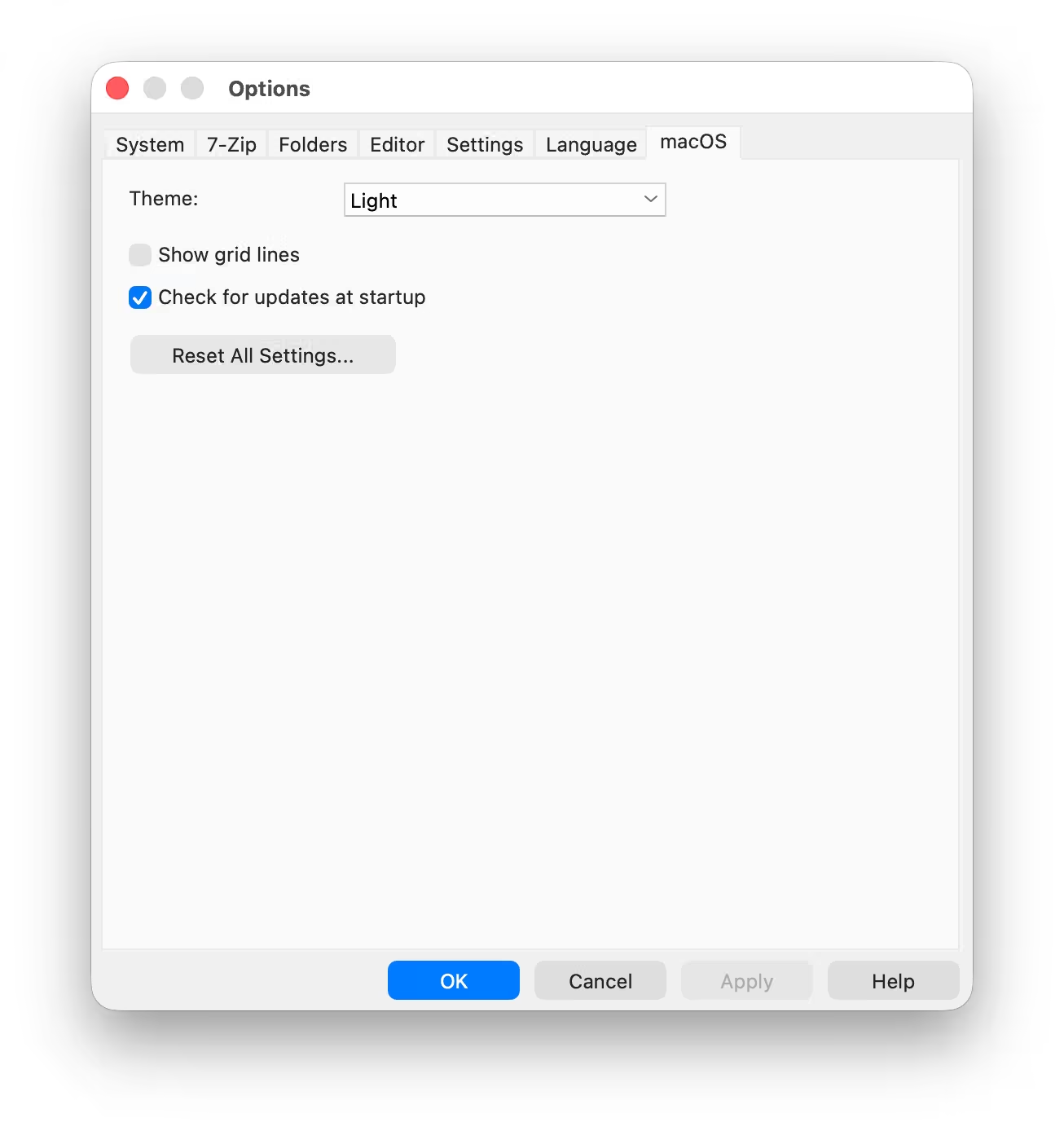
Options ▸ macOS -
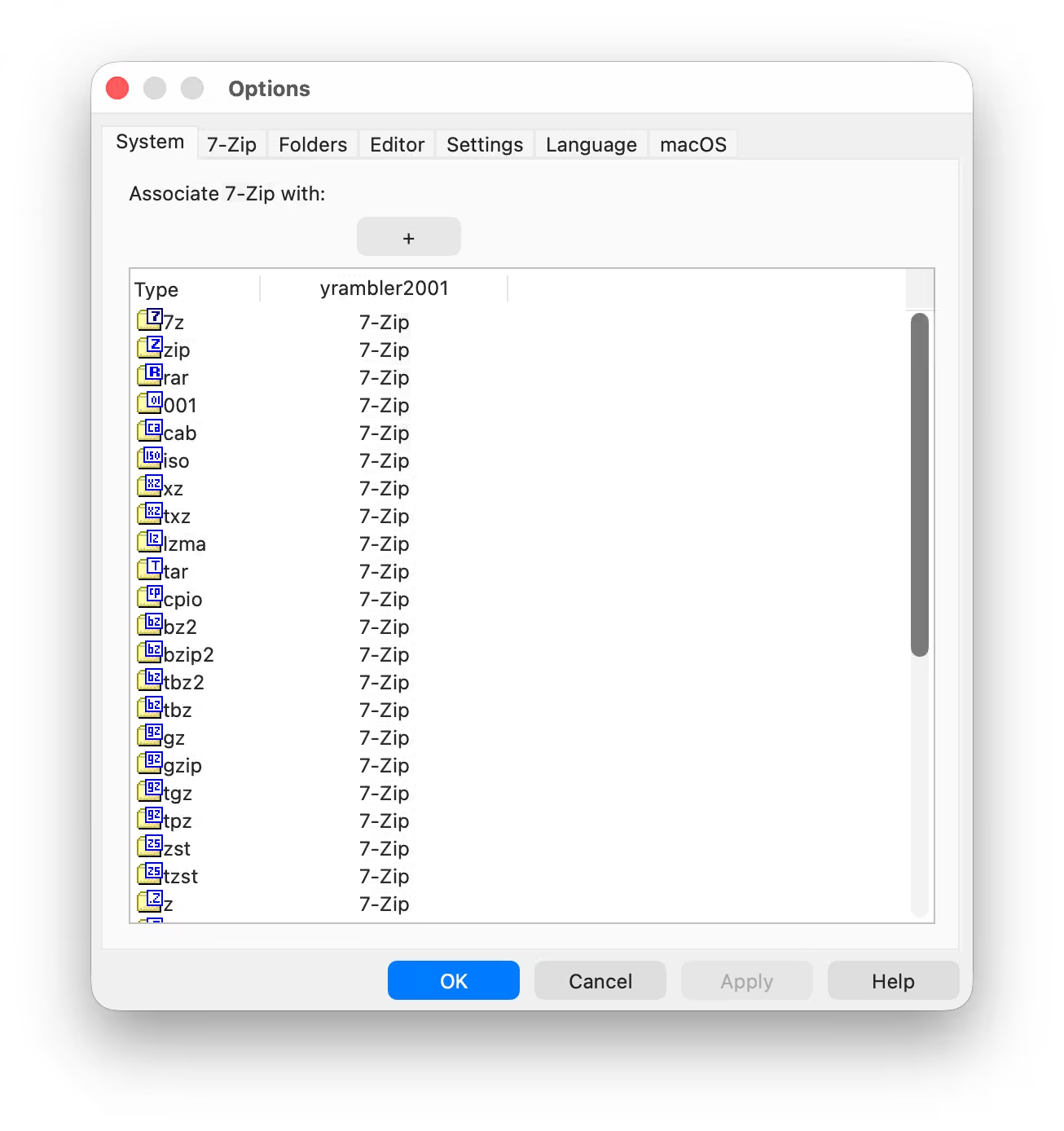
Options ▸ System: file associations -
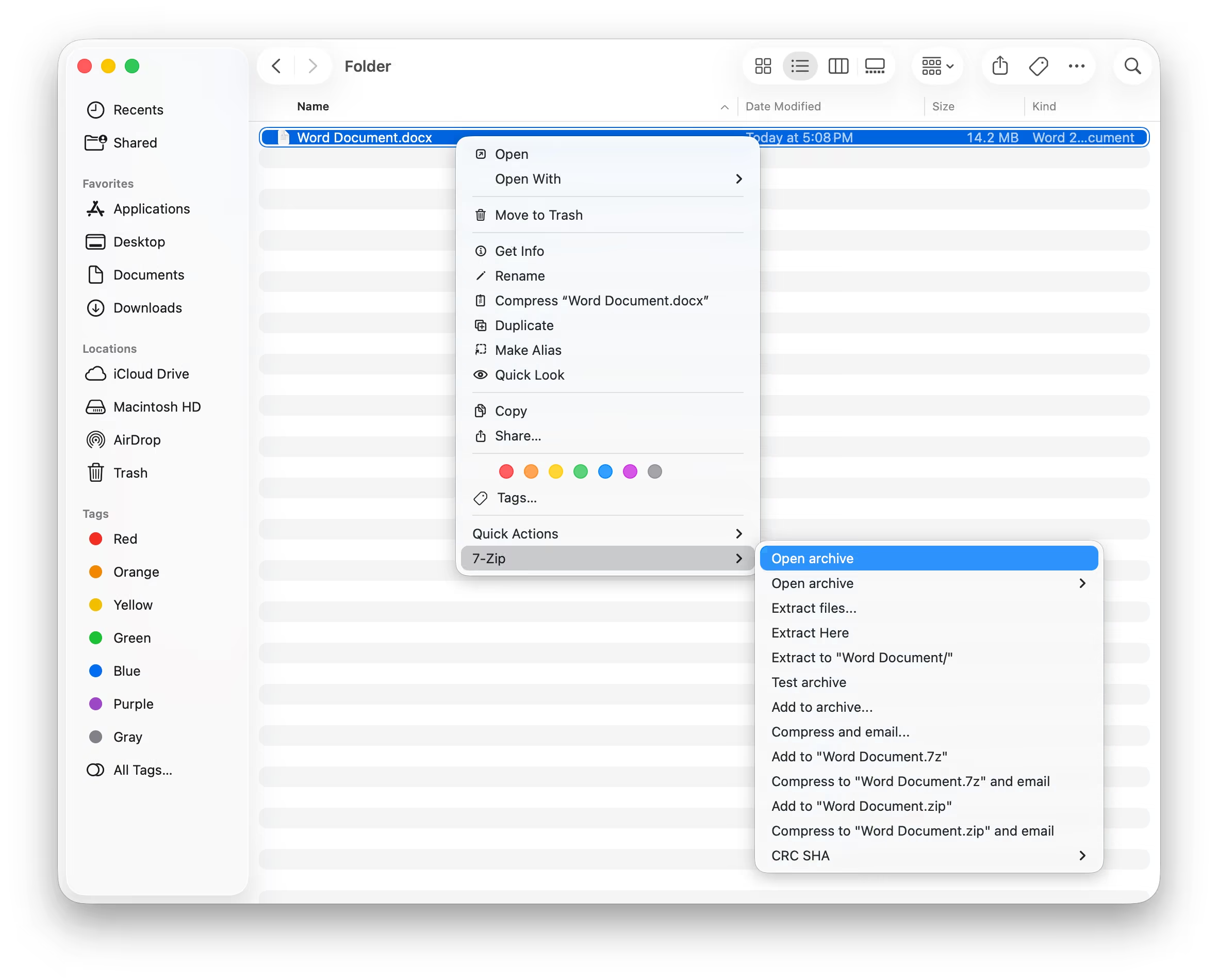
Finder’s right-click menu with the 7-Zip submenu -
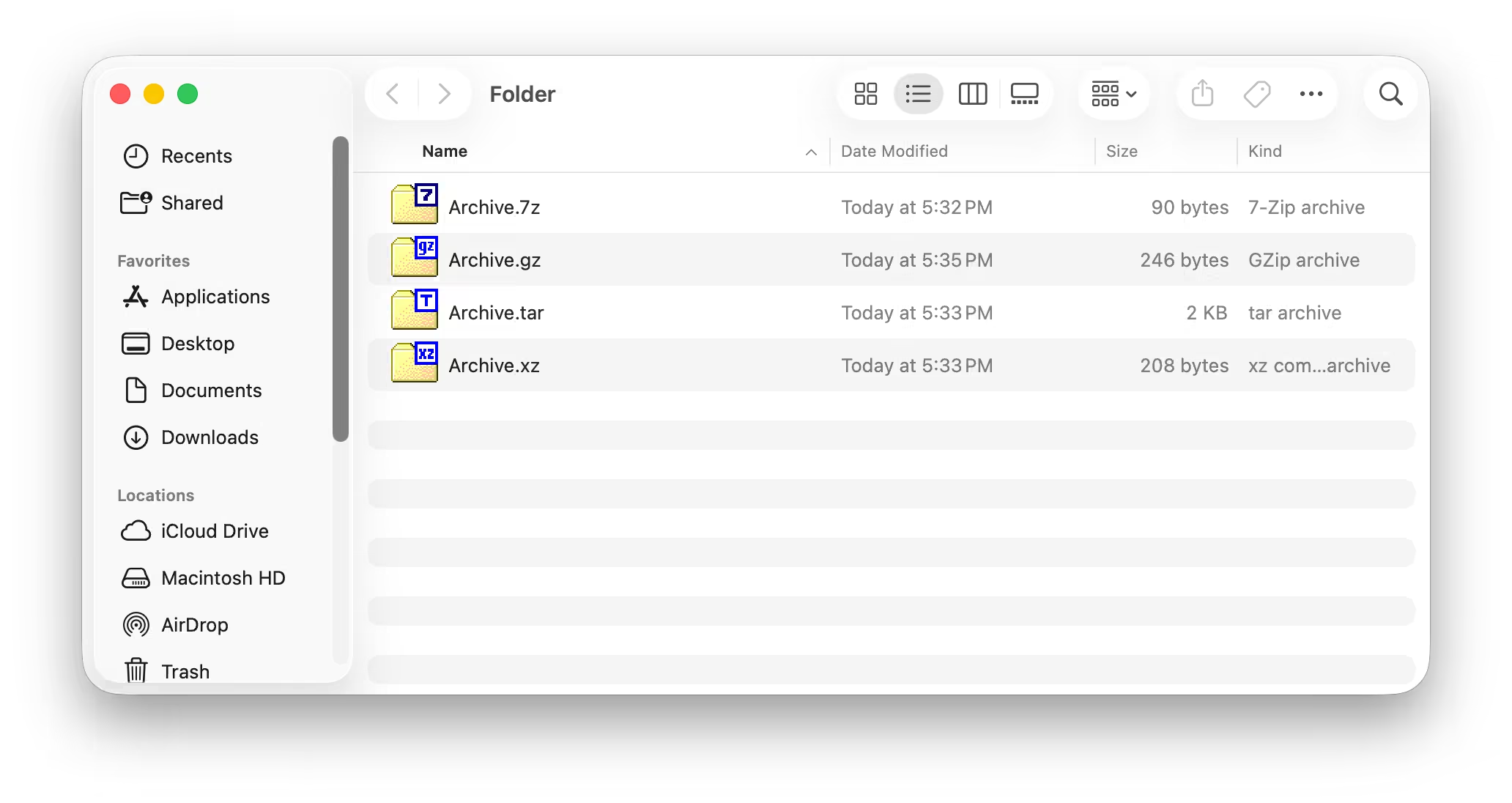
Archive icons in Finder: the original 7-Zip icons
First launch: Open Anyway
The app is ad-hoc signed, not notarized: there is no paid Apple Developer ID behind this project. A copy installed from the disk image is blocked the first time (“Apple could not verify “7-Zip” is free of malware”).
- Open 7-Zip once and dismiss the warning.
- Open System Settings ▸ Privacy & Security, scroll to Security, and click Open Anyway next to the message about 7-Zip.
- Confirm with Touch ID or your password. Later launches open normally.
On macOS 15 and later the old right-click ▸ Open shortcut no longer bypasses this. If you prefer the terminal, removing the quarantine attribute does the same:
xattr -dr com.apple.quarantine /Applications/7-Zip.appHomebrew installs and builds you make yourself are not quarantined and open directly.
FAQ
Is this the official 7-Zip?
No. It is an unofficial port, not affiliated with or endorsed by Igor Pavlov or the
7-Zip project. The archive engine is upstream 7-Zip, unchanged; the macOS app around it
is a separate project. Problems with the Mac app belong in its issue tracker; problems in the engine itself (a
format, compression, the command-line
7zz) belong upstream at 7-zip.org.
Is it free?
Yes, free and open source. 7-Zip and the macOS port are under the GNU LGPL 2.1 or later, with parts under the BSD 3-clause and 2-clause licences and the RAR code under the unRAR license restriction. See the LICENSE and NOTICE files.
Why do I have to click “Open Anyway”?
The app is ad-hoc signed but not notarized by Apple, because there is no paid Apple Developer ID behind the project. macOS therefore blocks a downloaded copy until you allow it once in System Settings (steps above). The Homebrew cask removes the quarantine flag for you, so that install opens directly.
Does it work on Intel Macs?
Yes. The release is a universal app: one download for Apple Silicon and Intel, on macOS 14 (Sonoma) or newer.
How do I turn on the Finder menu?
macOS does not switch extensions on by itself. After the first launch, tick Options ▸ 7-Zip ▸ Integrate 7-Zip to shell context menu and press OK, or enable 7-Zip under System Settings ▸ General ▸ Login Items & Extensions.
Does the app connect to the internet?
Only for the update check: at most once a day at startup it asks
api.github.com whether a newer release exists, and it makes no other
network request. Nothing is downloaded or installed by the app. Turn it off in
Options ▸ macOS ▸ Check for updates at startup.
How was it built?
Most of the port was written by AI agents (Claude Code) directed by the maintainer, one scoped agent per feature, each checked against the Windows app. The plans and reports are kept in the repository.
Links
- Source code github.com/yrambler2001/7zip-macos
- Releases Disk images and release notes
- Changelog What changed in each version
- License GNU LGPL 2.1 or later, and more
- Report a problem Issues for the Mac app
- 7-zip.org The original 7-Zip by Igor Pavlov
7-Zip is Copyright © 1999–2026 Igor Pavlov. The macOS port is Copyright © 2026 Yurii Synyshyn (yrambler2001). The icon is converted from the original 7-Zip icon files and is shown here only to identify the app.